Figma is no longer my source of truth
For years, Figma has been the center of my design workflow. Every project started there. Every component lived there. Every handoff happened there. But something has shifted in how I work, and I think it’s worth talking about.
I no longer use Figma as my source of truth.
Why I stopped designing in Figma first
When I started using AI to help me design and build, I realized that the traditional workflow of designing in Figma and then translating that to code was adding unnecessary steps. If I can describe what I want and have it built directly in code, why would I first draw it in a different tool?
The answer used to be obvious: because designers couldn’t code, and code was too slow for exploration. But that’s no longer true. With AI, I can iterate on actual working interfaces faster than I could push pixels around in Figma.
Figma still has its place
I want to be clear: I haven’t abandoned Figma entirely. It’s still great for sketching out early ideas when I’m not sure what direction to take or for refining UI ideas. It can also be great as a digital version of pen and paper to bounce ideas around. Especially if you are collaborating with others.
Prototyping in code is just better
When I prototype in code, I get the real thing. Real interactions. Real responsiveness. Real performance characteristics. I’m not approximating what something will feel like, I’m actually feeling it and it makes it much easier to test with users as well.
Figma prototypes have always been a compromise. They look like the thing, but they don’t behave like the thing. Click targets are different. Scroll behavior is different. The whole feel is different. Now I can skip that translation layer entirely.
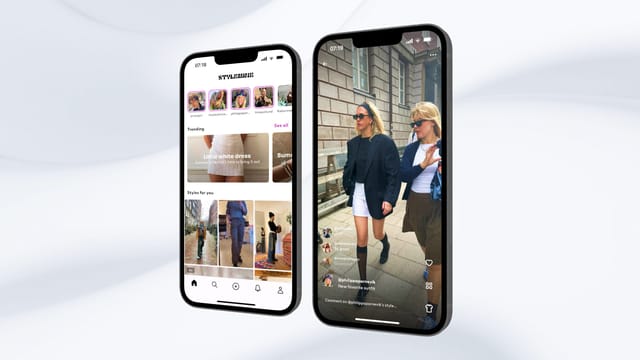
Here’s a concrete example: recently I was exploring ideas for a mobile app. Instead of mocking it up in Figma, I built a quick React web app and opened it on my phone. Within an hour I had something I could actually tap through, feel the flow of, and show to others. The gestures weren’t perfect since it was web, but it was close enough to know if the concept worked. And when I decided to take a different direction? I just threw the code away. It sounds wasteful, but it’s actually faster than maintaining Figma files you’ll never use again. That’s the beauty of prototyping this way, the speed makes experimentation cheap.
Design systems belong in code
This is where the shift has been most significant for me. I used to maintain design systems in Figma with all the components, variants, and tokens carefully organized. Then developers would rebuild everything in code, trying to match what I had designed.
The sync was never perfect. Colors would drift. Spacing would be slightly off. Components would evolve differently in each environment. We spent so much time trying to keep Figma and code aligned.
Now I build the design system directly in code. For web apps, Storybook has become my component library. Every button, every input, every card lives there as actual working code. When I want to see how a component looks in different states, I look at it in Storybook. When I want to tweak the design, I tweak the code. There are similar tools for other platforms too.
The huge advantage? It’s the real thing. There’s no translation. What I see in Storybook is exactly what will appear in the product. Every developer on the team uses those same components. The design system isn’t a reference document anymore, it’s the actual implementation.
What this means for me as a designer
I was worried at first that moving to code would slow me down or limit my creativity. The opposite has happened.
Because I’m not spending time maintaining Figma files and syncing with developers, I have more time for the work that actually matters. I can fine-tune micro-interactions. I can obsess over the details of how something feels. I can iterate more because each iteration is faster.
I’ve also gained a level of control I never had before. When I design a hover state, that’s the hover state. When I set a transition duration, that’s the duration. There’s no hoping the developer interprets my intentions correctly.
The future is code-first design
I genuinely believe this is where design is heading. As AI tools get better at helping us build interfaces, the gap between “designing” and “building” will continue to shrink until it disappears entirely. Why describe what you want in a static mockup when you can just make the real thing?
If I were Figma, I would be very worried about this shift. Their entire business model is built on being the place where design happens before development. But what happens when that “before” phase becomes optional? When designers can go straight to code and get better results faster?
I don’t think Figma will disappear overnight. There will always be use cases for visual design tools, especially for static assets, illustrations, collaborating with others and early exploration. But as the source of truth for product design? That era is ending.
How to start designing in code
If you’re a designer reading this, I really encourage you to explore working this way. You don’t need to know how to code in the traditional sense. With AI assistants, you can describe what you want and iterate from there.
Start small. Take a component you would normally design in Figma and try building it in code instead. See how it feels. See how fast you can iterate. See how satisfying it is to create the real thing instead of a picture of the thing.
You might not go back.
Also read: How I vibe coded an iOS App without knowing how to code